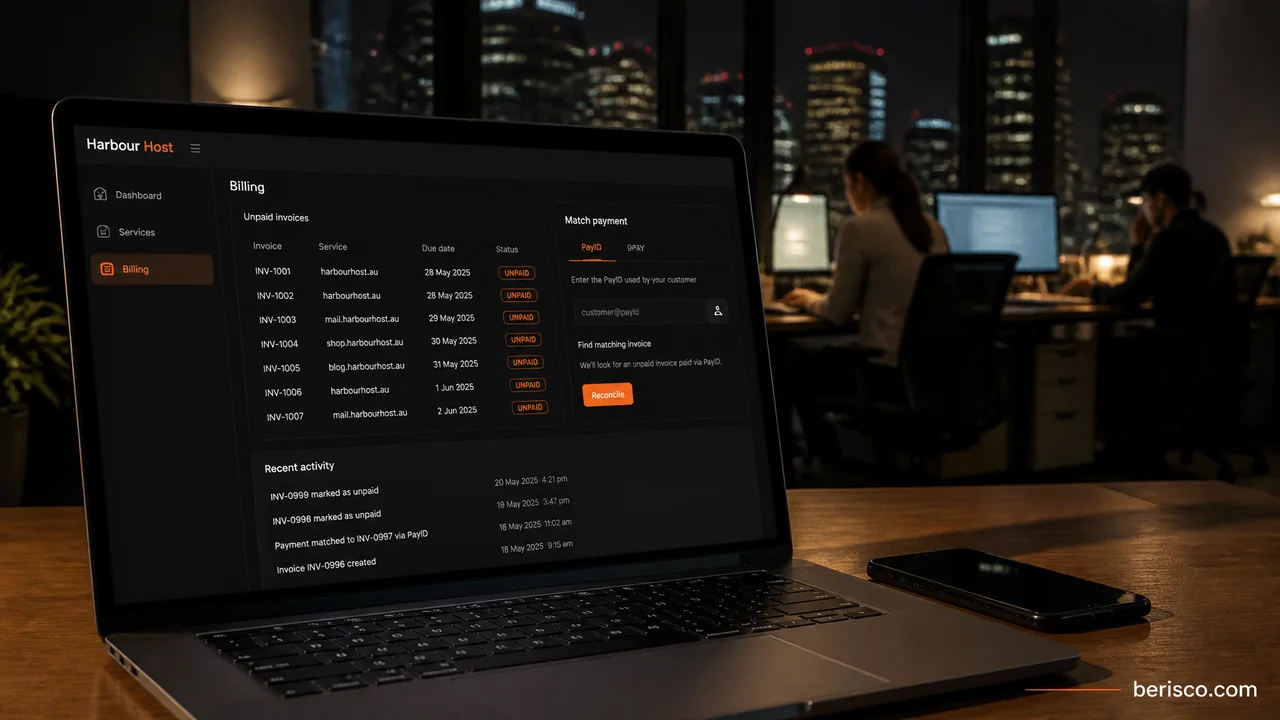
Short answer: The essential WHMCS hosting provider Australia checklist is a WHMCS licence or WHMCS Cloud account, a server or reseller panel connected through the right module, products priced in AUD, at least one payment gateway, a domain registrar if you sell domains, a support department, and working automation through the system cron. WHMCS documents this path in its Getting Started guide. For tax and GST questions, get advice from your accountant.
You've paid for a reseller plan. You can log into the panel and create a hosting package. Then a customer asks how to pay, you email bank details, and the account stays active for weeks after they miss a renewal.
That is a control panel and a spreadsheet. It is not yet a hosting business.
WHMCS is the usual way to turn that into orders, invoices, automatic provisioning, suspensions and support tickets. The real work is finishing the setup so the first paying customer does not fall through a gap.
Why start with WHMCS
WHMCS is billing and automation software for hosting and other online services. You can sell shared hosting, reseller accounts, VPS or dedicated servers, domains and other products from one client area.
You have two official ways to run it. WHMCS Cloud is managed: you sign up and WHMCS handles installation, updates and the system cron. A self-hosted installation means you buy a WHMCS licence, install the software on your own server, and look after security and updates. Official docs currently describe licences as monthly. Choose a plan that fits how many active clients you expect to bill, and check current options on WHMCS's pricing page.
WHMCS hosting provider Australia: the setup checklist
Quick wins before you open the cart:
- Change the default currency away from USD if you have not issued any invoices yet
- Add the server or reseller panel module you will actually provision to
- Activate a payment gateway and place a test order
- Confirm the daily cron has a recent last-run time, or that you are on WHMCS Cloud
1. Get your WHMCS licence or Cloud account
For a self-hosted install, purchase a licence and download the software, then complete the installer and the security steps WHMCS recommends. For Cloud, finish signup and use the URL you are given. An expired or unverified licence can lock you out of admin while the client area stays online, so check it early.
2. Connect your server or reseller panel module
If you plan to offer hosting, WHMCS expects at least one server. Built-in modules cover popular panels, including cPanel, Plesk and DirectAdmin.
You do not need to own a dedicated box to start. Many Australian resellers begin with an upstream reseller account and add it in WHMCS so products can provision automatically.
3. Create products people can actually order
Create a product group first, then the product. Types include Shared Hosting, Reseller Hosting, Server/VPS, and Other for non-hosting items.
For each plan, set the description, welcome email, whether a domain is required, and the module settings (for example, which WHM package a cPanel product should create). Choose how automatic setup should behave: immediately, on first payment, or after you approve the order. Price everything in AUD once your currency is correct.
4. Set AUD as your currency
New WHMCS installations default to USD. If you have not created any invoices or transactions yet, you can change the default currency under Configuration > System Settings > Currencies.
Add or edit AUD with the ISO code AUD, a $ prefix and a format Australians will recognise. Getting this wrong is how an Australian customer ends up looking at a US-dollar cart.
Want help setting up WHMCS for an Australian hosting business? Berisco works with hosting providers on WHMCS configuration, local payment methods and automation. Book a free consultation.
5. Turn on payment gateways Australians will use
You need at least one payment gateway before you can start selling. Even if you collect payment another way, WHMCS recommends a manual gateway so automation can still run.
The Getting Started Wizard can connect options such as PayPal, Stripe, bank transfers or mail-in payments. Australian customers usually need more than a generic card checkout, including local card, direct-debit and bank methods. Our guide to Australian payment gateways for WHMCS covers the local landscape. If customers prefer PayID or BPAY, see automating PayID and BPAY reconciliation in WHMCS.
Check current fees and features with each provider. Do not rely on a blog for rates.
6. Connect a domain registrar if you sell domains
WHMCS can register and renew domains once you activate a supported registrar, choose the extensions you sell, and set your TLD pricing. The Getting Started Wizard can walk through an Enom setup. You can also use other registrars WHMCS supports.
If you sell .au domains, treat eligibility as a registry rule, not a guess. auDA publishes the .au rules and policies, including the Australian presence requirement. WHMCS can collect additional domain fields your registrar module needs. Check auDA and your registrar's docs. This post is not eligibility advice.
7. Set up the support desk
You need at least one support department. Many providers add Sales, Billing and Technical. Give each department a unique email address, assign the right admins, and decide whether email importing or (on self-hosted installs) email piping should turn replies into ticket updates.
8. Switch on automation and confirm the cron is running
Automation Settings control when invoices are generated, when overdue notices go out, and whether unpaid services are suspended, unsuspended after payment, or later terminated. By default, WHMCS generates invoices 14 days before the next due date and runs daily tasks at 9:00am local server time.
The system cron is what actually does this work. On a self-hosted installation, WHMCS says the cron must run at least every five minutes, and it must run during the Time of Day hour you choose. WHMCS Cloud handles this for you. If the cron is not running, invoices, reminders and suspensions will not happen.
What this looks like in practice
This is a worked example, not a client story.
Imagine a sole trader who has just bought a cPanel reseller account from an upstream Australian host. They install a self-hosted WHMCS licence, add the reseller server, and create three shared plans that provision to matching WHM packages. They switch the default currency to AUD, activate Stripe plus a bank-transfer gateway, connect a registrar for .com and .com.au, and add Sales and Support departments. They leave invoice generation at 14 days, enable suspensions after a chosen grace period, and confirm the cron ran this morning.
On Monday a customer orders and pays. WHMCS creates the account and sends the welcome email. If they had skipped the cron, the same shop front would still take the order, then quietly stop following up.
Before you take your first real order
- Place a test order for each product type you plan to sell
- Pay with each live or test gateway you have enabled
- Check that provisioning, the welcome email and the client area login all work
- Confirm currency, tax display and invoice branding, and speak to your accountant about GST
- Read the last cron run time, or confirm you are on WHMCS Cloud
- Publish terms, an acceptable use policy and a working support address on your website
If you would rather not do this alone, Berisco's WHMCS service for Australian hosting providers covers setup, local gateways and automation. Get in touch for a free consultation.
FAQ
Do I need my own dedicated server to start?
No. If you sell hosting, WHMCS needs a server record and a working panel module. That can be an upstream reseller account, or servers you operate yourself.
Should I choose WHMCS Cloud or a self-hosted licence?
Choose Cloud if you want WHMCS to handle installation, updates and the cron. Choose self-hosted if you need to run it on your own infrastructure or install custom modules. Compare current plans on the official WHMCS site.
How do I take PayID or BPAY in WHMCS?
Those bank methods are not a simple built-in card checkout. You need a way to reconcile payments against invoices. See our guide to automating PayID and BPAY reconciliation in WHMCS.
When do invoices and suspensions actually run?
On the daily automation schedule, which defaults to 9:00am server time, and only if the system cron is running. WHMCS Cloud handles the cron for you. Invoice generation defaults to 14 days before the next due date. Suspensions run after the number of days you set.
Can I sell .au domains from WHMCS?
Yes, if your registrar supports them and you collect the fields the registry needs. .au names have eligibility and Australian presence rules set by auDA. Check auDA and your registrar. Do not treat this post as eligibility advice.
Last updated: 18 November 2026