Short answer: Delivery apps like Uber Eats, DoorDash and Menulog are good at finding you new customers, but they charge commission and keep most of the customer relationship. Ordering on your own website costs you more effort to set up, but you keep the customer details, set your own menu and pay much lower per-order costs. For most small cafes, the smart move is both: use the apps for discovery, and give regulars a pickup-first ordering button on your own site.
It's Friday, 8.15am. Your best regular, the one who orders a large oat flat white and a toastie every single day, taps an app on their phone.
The order lands on your tablet. Great.
But the app takes its cut. The receipt goes out with the app's branding, not yours. And if you wanted to tell that customer about your new winter menu, you couldn't. You don't have their email. The app does.
Now multiply that by every regular who has quietly switched from walking in to ordering through an app.
That's the real question behind cafe online ordering. Not "should we take orders online?" You probably already do. It's "whose customers are these?"
The two ways to take orders online
Delivery apps (marketplaces)
Uber Eats, DoorDash and Menulog list your cafe inside their apps, handle payments, and usually provide the drivers.
What they do well:
- Put you in front of hungry people who've never heard of you
- Handle delivery, so you don't need drivers
- Give you a working system quickly
What you give up:
- Commission on every order. Each platform sets its own fees and plans, and they change. Check the current terms on the Uber Eats merchant site, DoorDash for merchants and Menulog's partner page before you do your sums.
- Most of the customer relationship. The app owns the account, the app notifications and the marketing. Exactly what customer data you can see depends on the platform and its settings.
- Control over presentation. Your menu sits in their template, next to your competitors.
Ordering on your own website
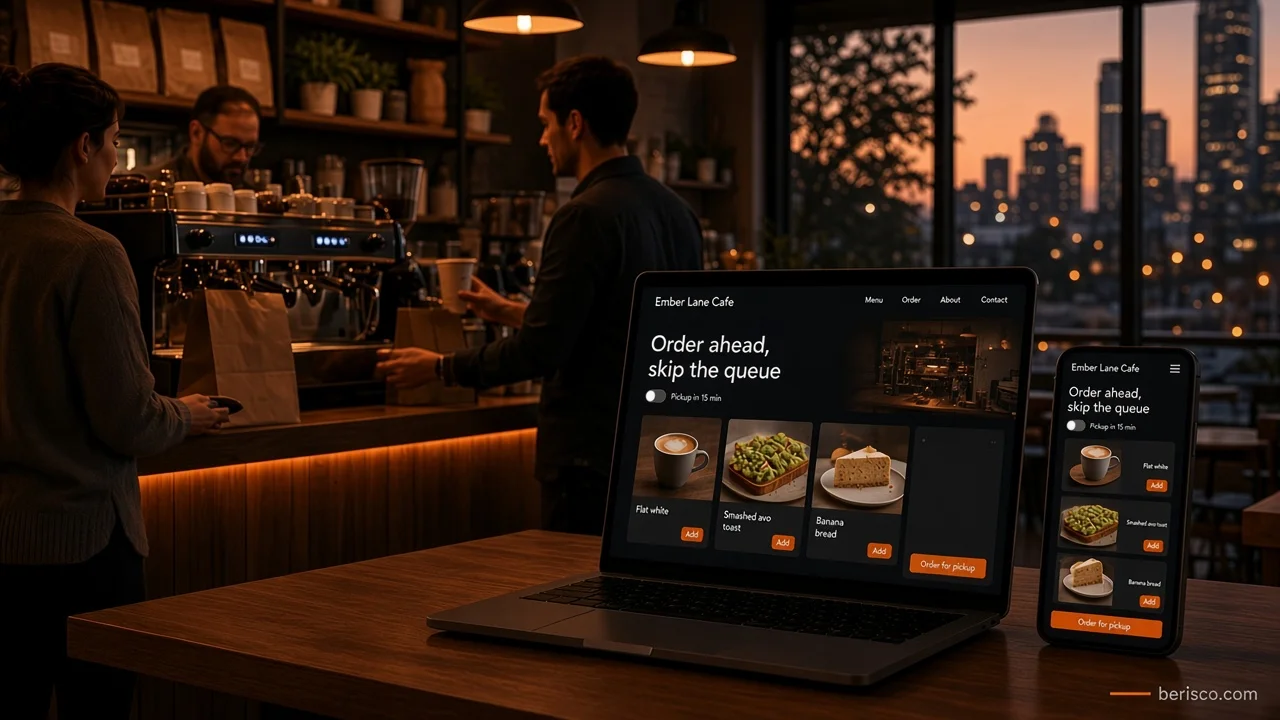
Here, the Order button lives on your website (and your Google Business Profile). The customer pays you directly through a payment provider, and the order comes through to your counter.
What it does well:
- You keep the customer. With their consent, you can build an email list, run a loyalty offer or tell regulars about a new menu.
- Lower per-order costs. You'll usually pay payment processing fees and possibly a software subscription instead of a marketplace commission. Check the current rates on the provider's own pricing page, for example Square's Australian pricing.
- Your brand, your rules. Your photos, your menu order, your pickup times.
What it asks of you:
- Customers have to find you first. Your own site doesn't come with a built-in audience.
- Someone has to keep the menu, sold-out items and hours up to date.
- Delivery is on you, if you offer it at all.
Not sure which setup fits your cafe? Berisco builds websites for Australian cafes and restaurants, with ordering and booking that's easy for staff to manage. Book a free consultation and we'll look at how your customers order now and what will actually pay off.
Your options for website ordering
There isn't one "right" system. These are the three common routes.
1. A hosted ordering tool (for example, Square Online)
If you already use Square at the counter, Square Online can connect your menu and orders to the same system. Setup is fairly quick and you don't need a developer for the basics. The trade-off is less design freedom and working within the features the platform offers.
2. A WordPress site with a WooCommerce ordering plugin
If your site runs on WordPress, WooCommerce plus a restaurant ordering extension can add a menu, cart, pickup times and payments. You get more control over design and how orders flow, but there are more moving parts to keep updated and secure.
3. A custom ordering system
Worth it when you have several locations, a loyalty program, or an unusual workflow (catering orders, office lunch runs, pre-ordering for events). It's the most flexible option and the biggest upfront project, so it usually makes sense once ordering is already a big part of your trade.
Side-by-side: own ordering vs delivery apps
| Your own website ordering | Delivery apps | |
|---|---|---|
| Finding new customers | You bring the traffic | Built-in audience |
| Customer details | Yours, with consent | Mostly held by the platform |
| Per-order cost | Payment fees, maybe a subscription | Commission (check each platform) |
| Branding | Fully yours | Inside their template |
| Delivery | Your choice: pickup only, own drivers or a delivery service | Usually included |
| Setup effort | Moderate | Low |
Why pickup-first is a smart start
Delivery is the hard part. Drivers, insurance, cold food complaints, delivery zones.
Pickup is easy. The customer orders on their phone, picks a time and walks in. No queue, no waiting, coffee ready.
For a small cafe, pickup-first ordering on your own site is often the quickest win. You get the convenience regulars love without building a delivery operation. You can leave delivery to the apps if you still want that reach.
For example, imagine a small suburban cafe with a morning rush that stretches out the door. They add an "Order ahead for pickup" button to their website and Google Business Profile, and put a small sign at the counter: "Skip the line next time, order on our website." Regulars who switch free up the queue for walk-ins, and the cafe now has a way to reach those customers directly. (This is an illustration, not a real client result.)
Quick-win checklist
Before you spend anything, run through this list:
- Put an Order now button on your home page, above the fold, on mobile
- Add your ordering link to your Google Business Profile
- Make sure your online menu matches the one at the counter, including sold-out and seasonal items
- Offer pickup times so customers know when their order will be ready
- Show your hours next to the Order button, so nobody orders when you're closed
- Add an optional email sign-up at checkout, with clear consent (see the Australian Privacy Principles for how to handle personal information)
- If you add a card surcharge, follow the ACCC's surcharging rules
- Place an order yourself on your phone, start to finish, every few weeks
What this looks like in practice
Berisco built and manages the website for a Perth-area woodfire restaurant. It's a sit-down venue, so its main online action is booking, not ordering, but the same principle applies: the customer completes the action on the restaurant's own website.
The site runs on WordPress with Elementor, so the team can update content themselves. Guests book a table through an embedded booking widget on a dedicated booking page, and the same booking option appears on the menu page, so it's never more than a tap away. Gift vouchers can be bought online through the same provider, again without leaving the restaurant's site.
That's the model for cafe ordering too. You can use a trusted third-party system behind the scenes and still keep the customer on your own website, under your own brand.
Common mistakes to avoid
- Hiding the Order button in a menu or footer
- Different menus on the website, the apps and the counter
- No pickup time, so customers turn up early and wait
- Ordering open after closing time, which leads to refunds and unhappy customers
- Never testing it, so a broken payment step goes unnoticed for weeks
How Berisco can help
Berisco designs, builds and manages websites for Australian cafes and restaurants. We can set up website ordering with Square Online, WooCommerce or a custom system, connect it to your Google Business Profile, and host it on fast, secure servers so it holds up during the morning rush.
Ready to own more of your orders? Contact Berisco for a free consultation, or see our e-commerce solutions.
Frequently asked questions
Should my cafe use delivery apps or its own online ordering?
Most small cafes do best with both. Delivery apps help new customers find you, while ordering on your own website gives regulars a convenient option and keeps the customer relationship with you.
Is ordering on my own website commission-free?
There's no marketplace commission, but it isn't free. You'll pay payment processing fees and often a software subscription. Check current pricing on the provider's own website.
Do I need to offer delivery on my own website?
No. Pickup-only ordering is a common and simple starting point. You can keep using delivery apps for delivery if you want that reach.
What's the easiest way to add online ordering to a cafe website?
If you already use a point-of-sale system like Square, its online ordering tool is often the quickest path because the menu and orders connect to your counter. WordPress sites can use WooCommerce with an ordering extension.
Can I get my customers' details from delivery apps?
Usually only limited details, and it depends on the platform and its settings. Read each platform's merchant terms. With your own ordering, you can collect contact details directly, with the customer's consent.
Can my online ordering link appear on Google?
Yes. You can add an ordering link to your Google Business Profile, so people can order from your listing in Search and Maps.
Last updated: 4 November 2026